Logs
Sharing Log Files
Sometimes to fix a bug or analyze an issue, our team needs to see what's wrong. Creating and uploading a log file really helps. Before you create an Issue in GitHub, or contact us on Discord with a bug report, please follow the steps below.
Logging is disabled by default because it can slow down SKipper, so the steps start with enabling logging, and end with disabling logging. If you don't disable it, you should expect slower performance from SKipper.
Creating and Uploading a Log File
-
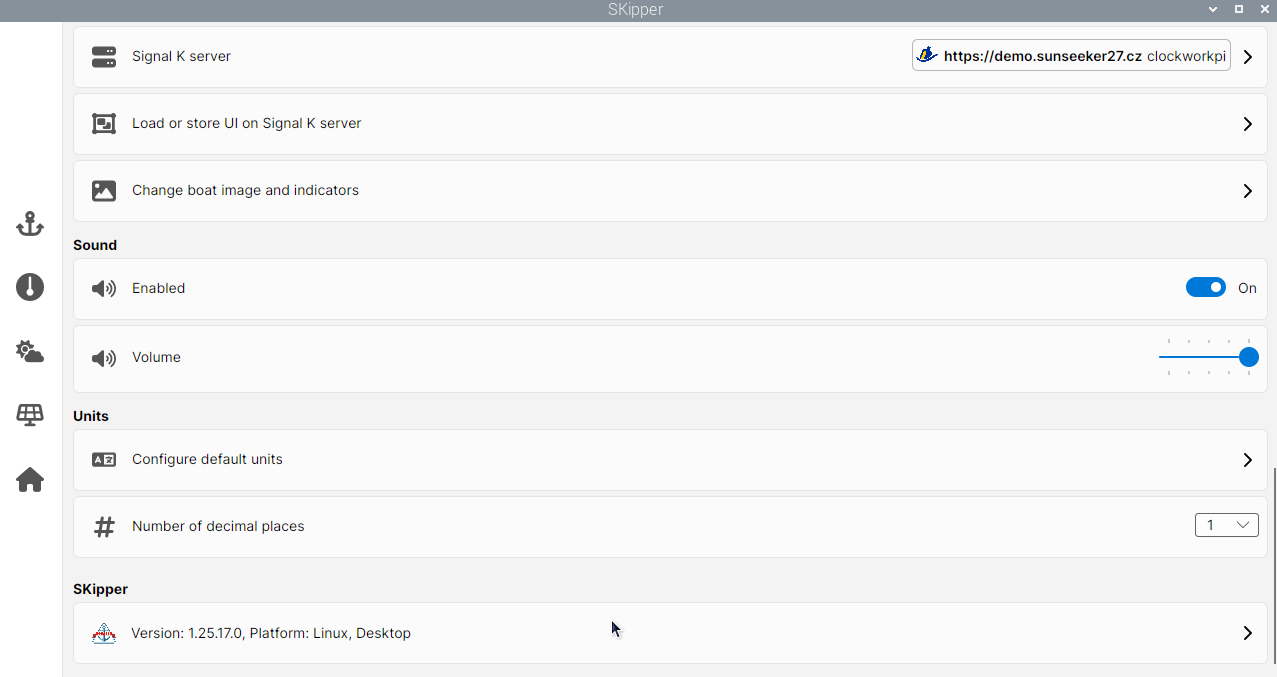
Navigate to Settings and scroll down until you see the SKipper version - it's very near the bottom of the page.
-
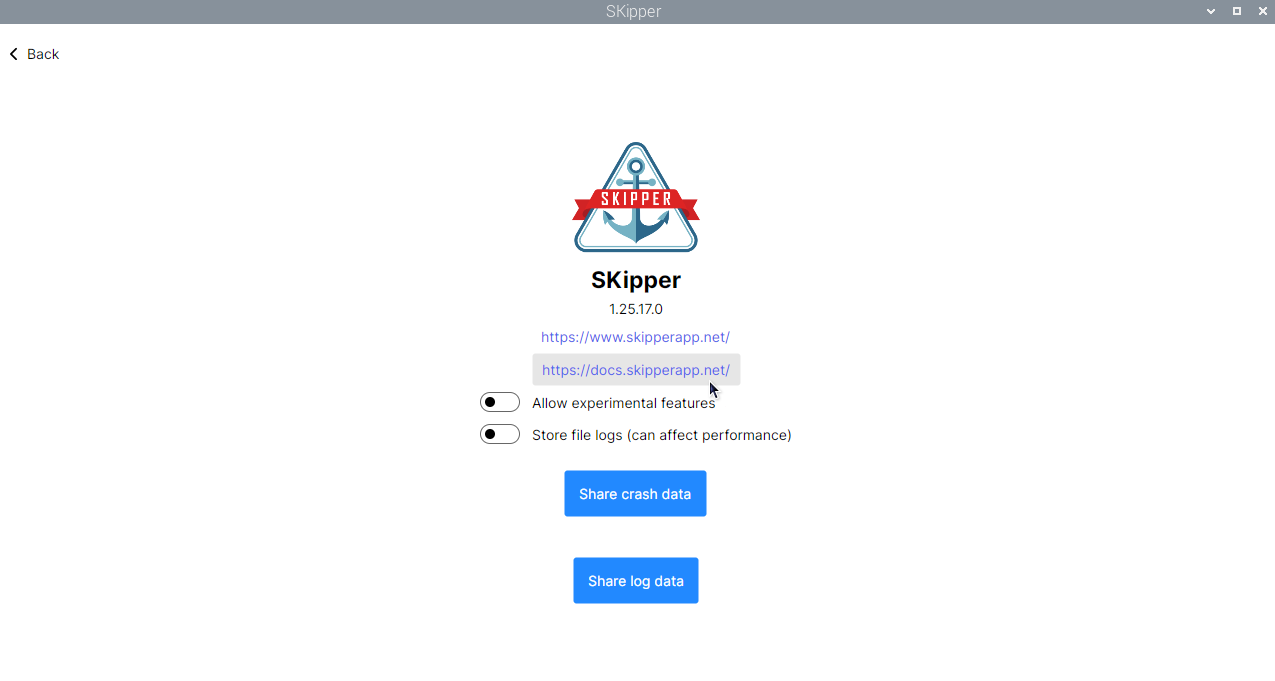
Tap or click on the version and show About
-
Toggle Store log filess and confirm with the box that pops up.
-
Do whatever you have to do in SKipper to cause the problem to happen.
-
If the problem results in SKipper crashing, restart SKipper.
-
Repeat steps 1 and 2 above, then click on the Share log data button.
-
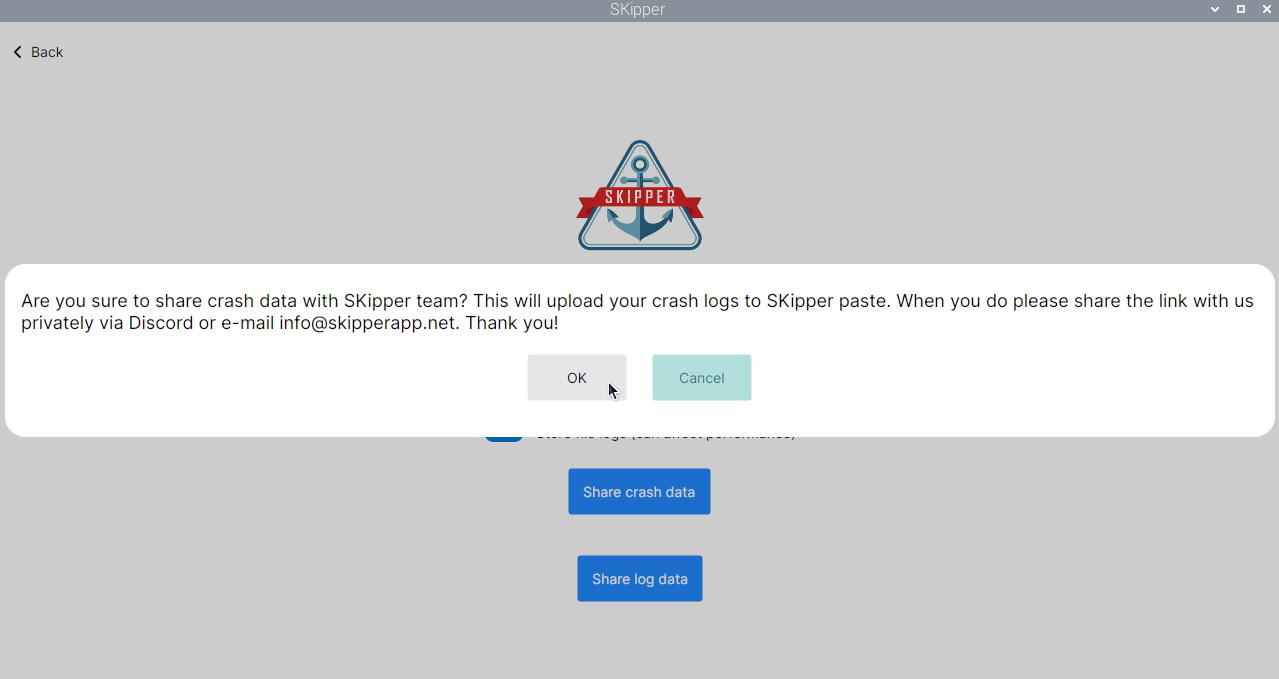
Confirm that you want to upload the logged data.
-
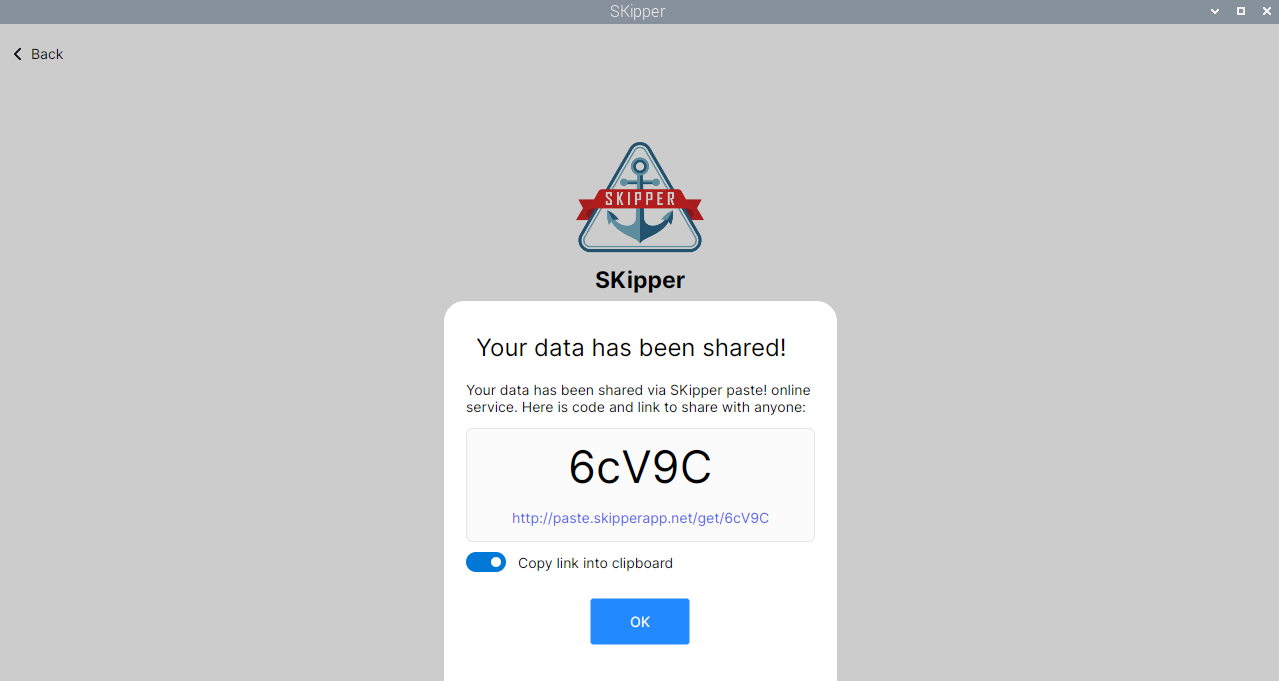
Your log files will be shared via the SKipper paste service and a link will be generated.
-
When you click OK, the link will be copied to the memory of your device. Use the Paste function of your device to share that link with us in the GitHub Issue you create, or in a post on Discord.
-
Disable logging by toggling Store file logs.
We're working hard to make SKipper the best Signal K app available. Sharing your logs and cooperating with us on resolving issues is a great way to make it even better.
Thank you for your help!